Stop guessing
where your money
goes
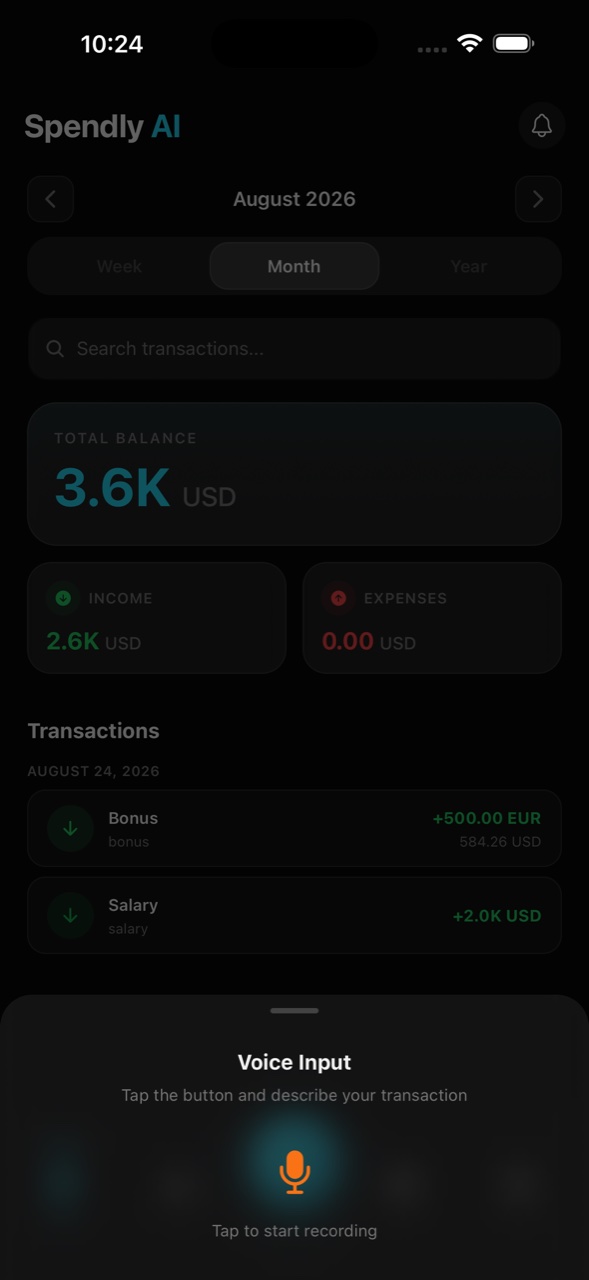
Type “coffee 4.50” or speak it aloud — AI categorizes, organizes, and surfaces insights you actually care about. No spreadsheets. No manual entry. Just clarity.
Starbucks
Coffee & Drinks · Auto-categorized
Grocery Store
Food & Dining · Voice input
Auto-categorized
97.4% accuracy
Supported inputs
Text + 🎤 Voice
Manual tracking is dead. AI does it better.
Most finance apps make you do the work. Spendly AI flips that — you just describe what happened, and it handles the rest.
Text & Voice AI
Just say it — AI does the rest
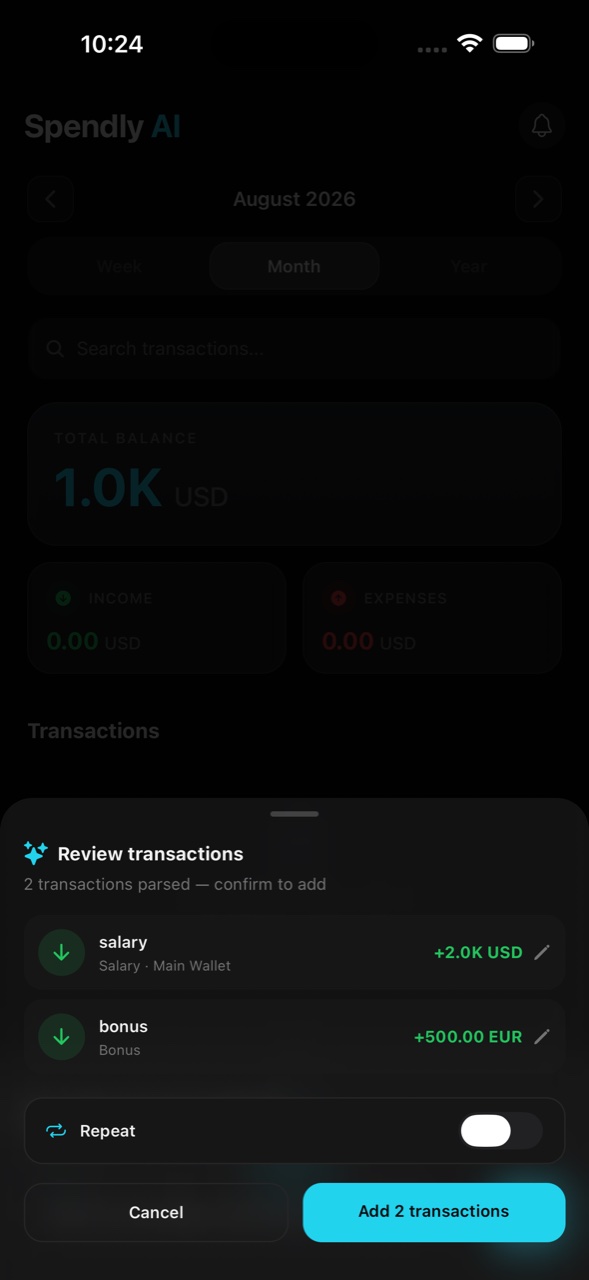
Type "lunch 12.50 at work" or speak it aloud. AI extracts the amount, picks the right category, and adds the transaction in under a second. No forms. No dropdowns.
Smart Wallets
Separate travel, work & personal money
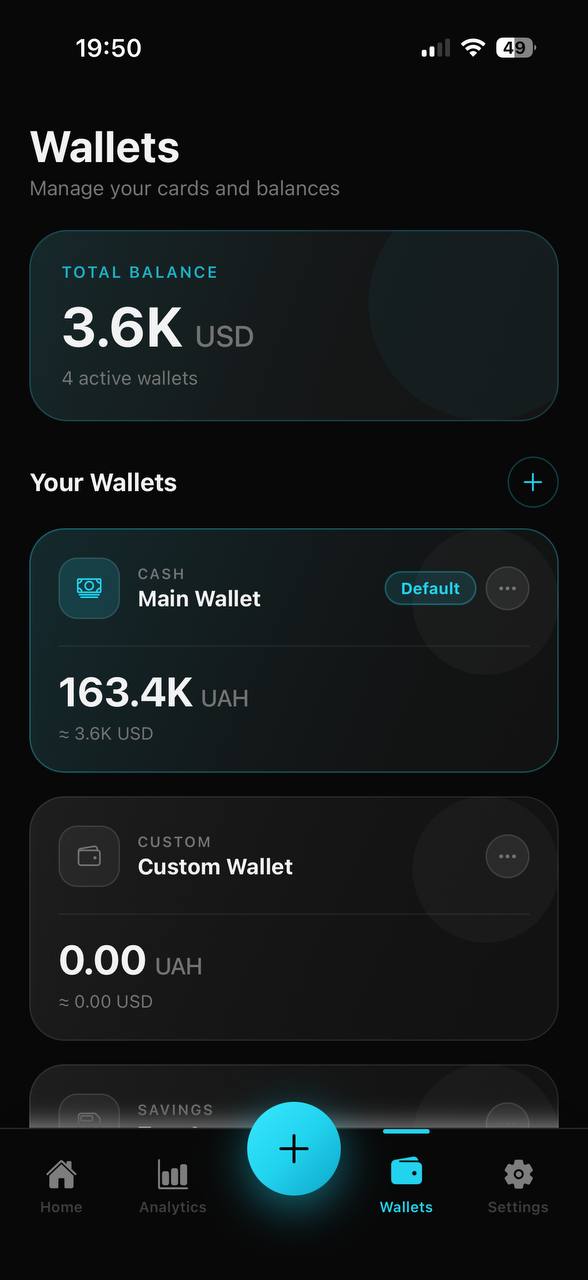
Create wallets for different spending buckets — cash, debit, savings, or custom. See each balance independently, or as one total automatically converted to your currency.
AI Insights & Coach
Your personal finance coach, built in
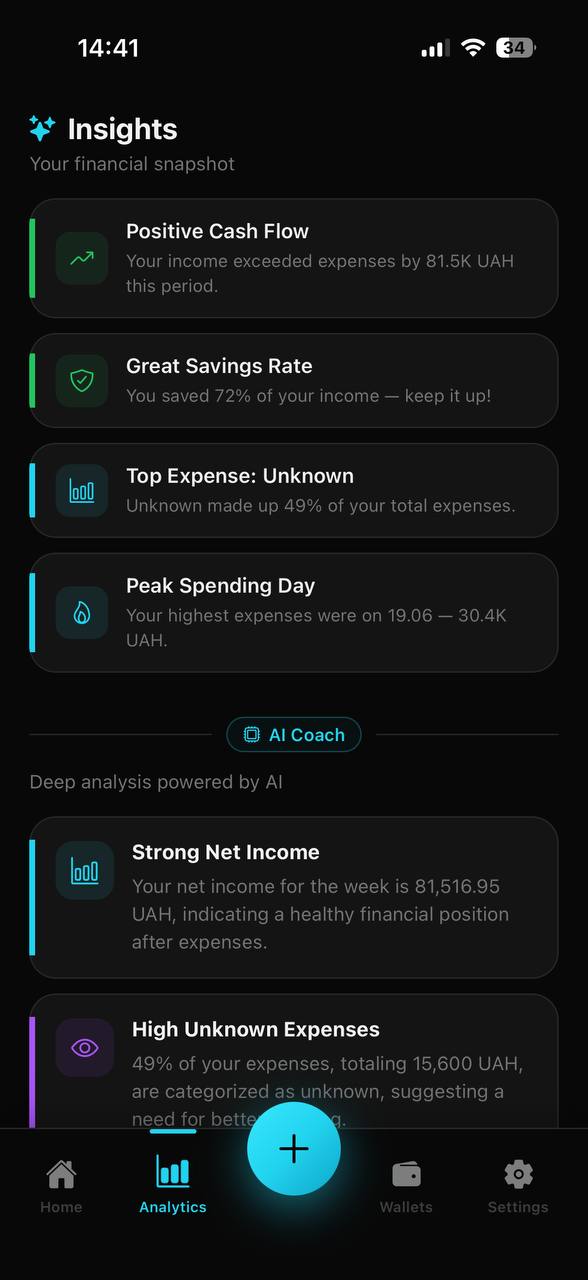
Not just charts. The AI Coach reads your spending patterns and tells you what matters: savings rate, peak spending days, concentration risks — in plain language.
Multi-Currency
Spend in euros, see it in dollars
Add transactions in any of 100+ currencies. Set your main display currency and every wallet balance recalculates with live exchange rates — instantly.
Recurring Transactions
Set it once, never log it again
Mark any transaction as recurring — daily, weekly, every 2 weeks, monthly, or yearly. Rent, subscriptions, salary — tracked automatically without lifting a finger.
Works with everything
Any bank. Any cash. Any country.
Unlike Revolut or your bank app, Spendly AI isn't tied to one account. Track cash, cards from any bank, foreign accounts, and crypto wallets — all in one place.
Why not just use Notion, a spreadsheet, or my bank app?
Spreadsheets require discipline. Bank apps only see their own transactions. Spendly AI works with all your money — cash, any bank, any currency — and uses AI so you spend seconds, not minutes logging each expense.
See it in action
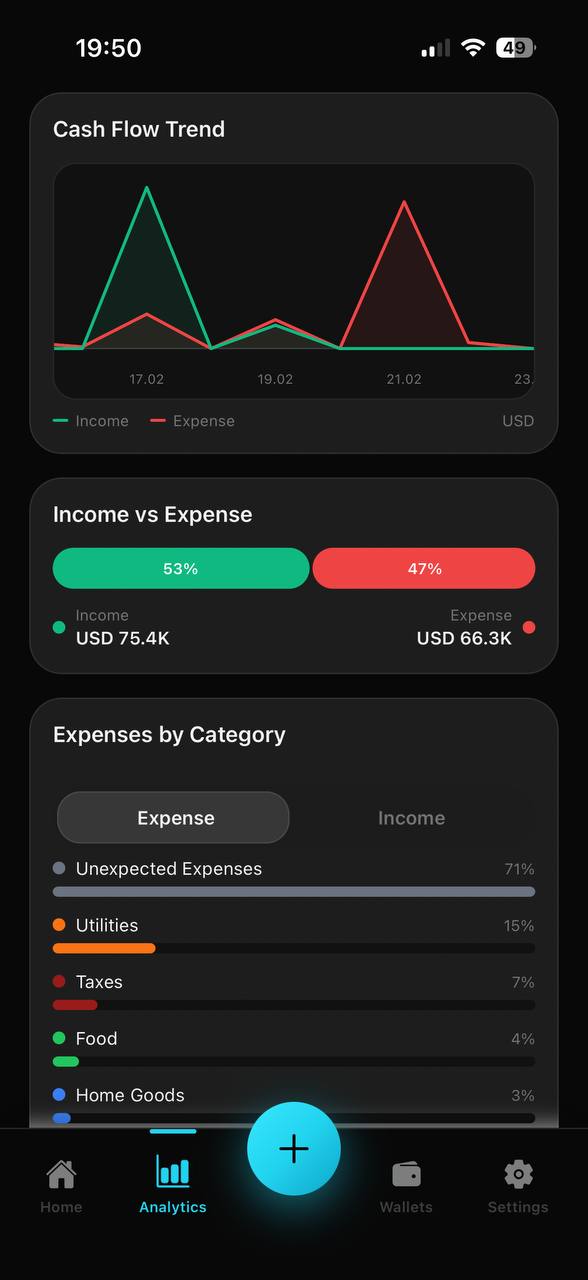
Every screen shown is the real app — no mockups, no marketing fluff.
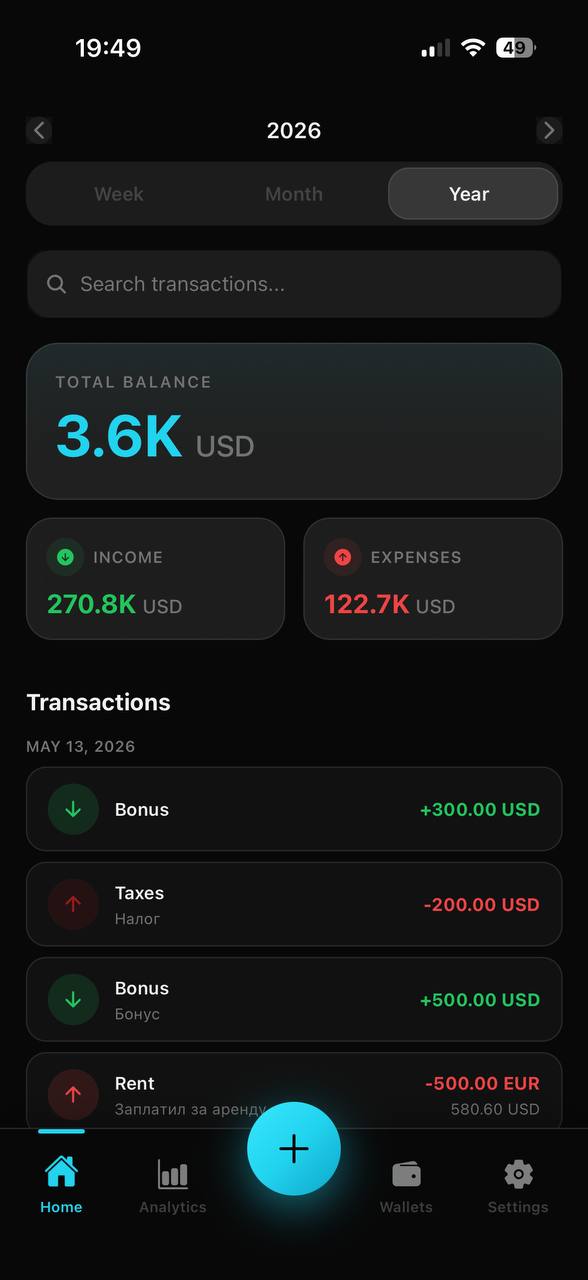
Everything at a glance
Total balance, income vs expenses, and your full transaction history — filterable by week, month, or year. Search any transaction instantly.
Three steps to clarity
From your first transaction to deep financial insights — Spendly AI keeps it simple at every step.
Add Transactions
Type naturally — 'coffee $5' or 'grocery 42 usd' — or just speak it aloud. AI parses the intent, amount, and category instantly. Manual entry is always available too.
Organize & Budget
Group transactions by wallet and category automatically. Set monthly budgets per category and watch real-time progress bars keep you on track.
Analyze & Grow
Explore beautiful charts, monthly comparisons, and AI-generated insights that reveal exactly where your money goes — so you can spend smarter.
Common questions, honest answers
Everything you want to know before trusting an app with your financial data.
More questions? Contact us — we respond within 24 hours.
We'd love to hear from you
Have a question, partnership idea, or just want to say hi? Drop us a message and we'll get back to you quickly.
Response time
Within 24 hours
Support
Available in English
By contacting us, you agree to our Privacy Policy and Terms of Use.
Ready to take control?
Spendly AI is free to download, right now, on the App Store. No account required — just install it and log your first expense in seconds.
Download on the App StoreFree to download · No account required